In recent years, the use of 3D LiDAR (Light Detection and Ranging) has rapidly expanded in fields such as robotics, autonomous driving, infrastructure inspection, and security. LiDAR uses laser light to measure the surrounding shape and distance with high precision, making it an essential sensor that acts as the "eyes" of robots and vehicles.
However, with a single LiDAR, blind spots arise due to installation location and viewing angle restrictions, limiting the detection range.Autonomous mobile robots (AGVs, AMRs) that operate indoors and outdoors require 360-degree obstacle detection and self-position estimation, but in many cases it is difficult for a single unit to provide sufficient coverage.
If these issues are left unaddressed, it can lead to reduced system reliability, such as overlooking obstacles or data loss due to communication problems. For this reason, combining multiple LiDAR units is gaining attention. This article uses examples to explain network design, ROS2 configuration procedures, and topic design key points for controlling multiple Livox 3D LiDAR "MID-360" units.
MID-360 Product Overview
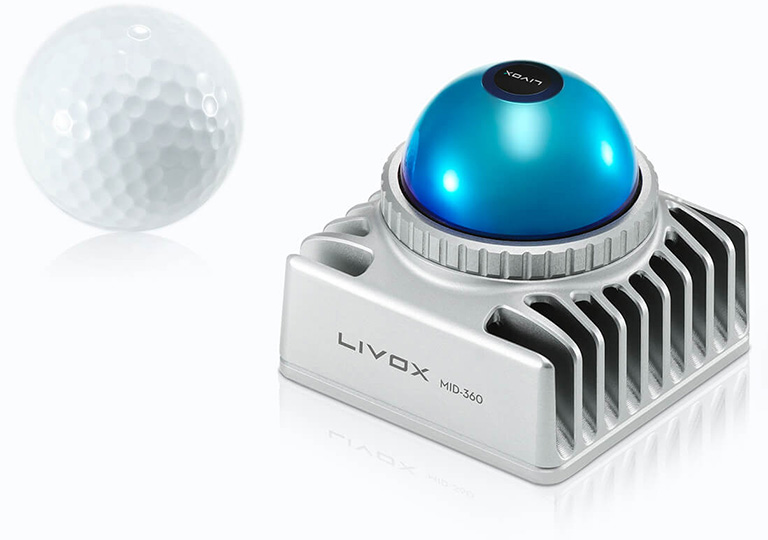
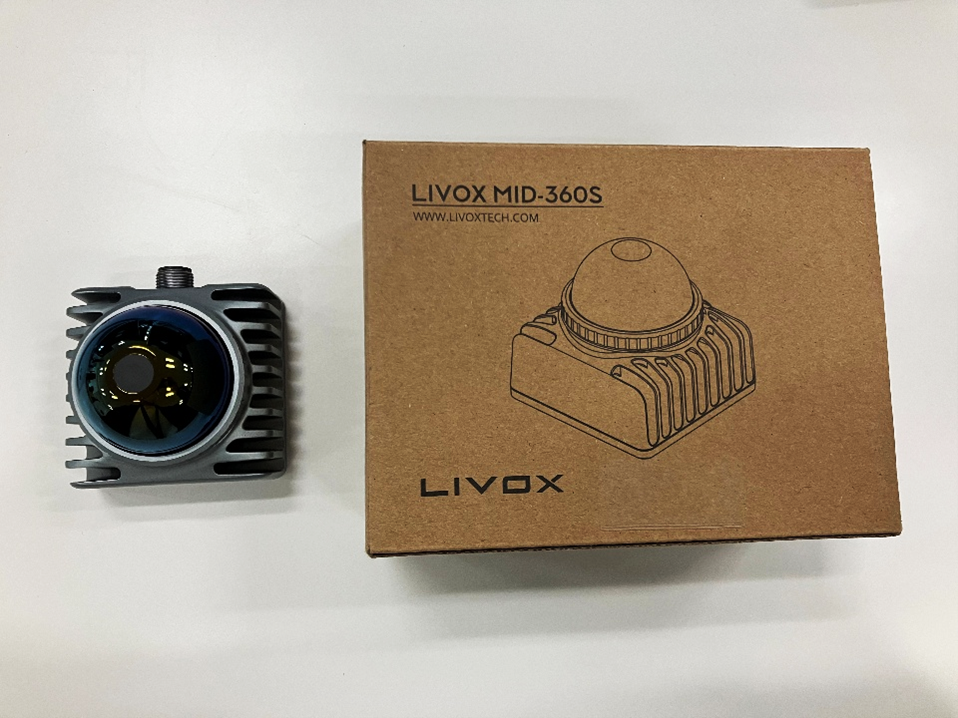
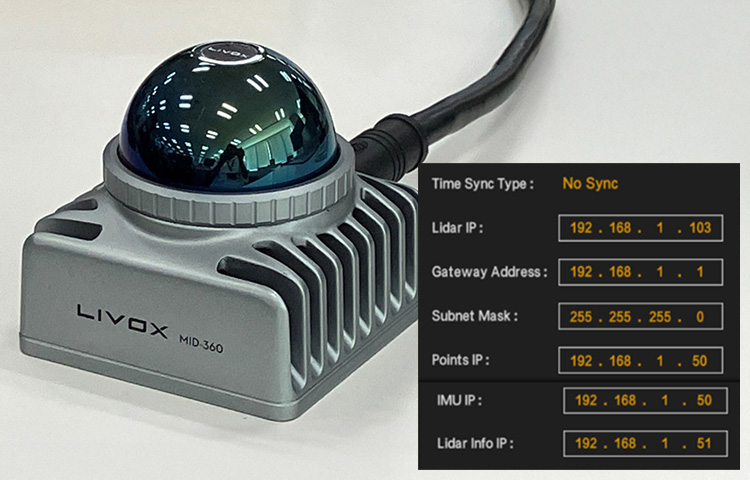
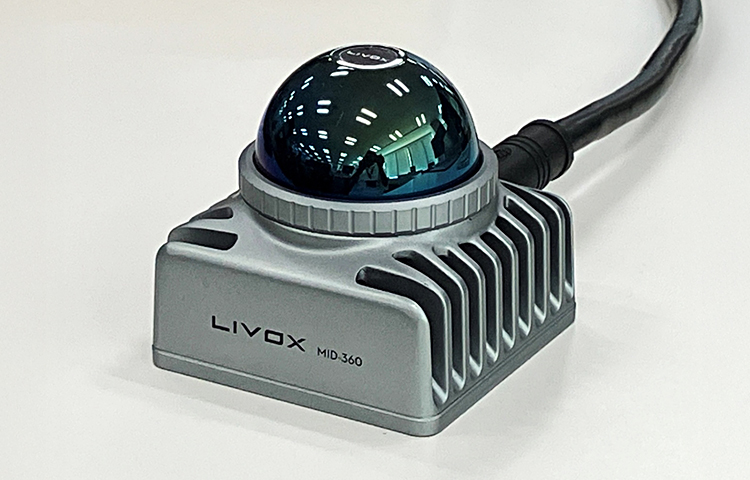
Livox MID-360
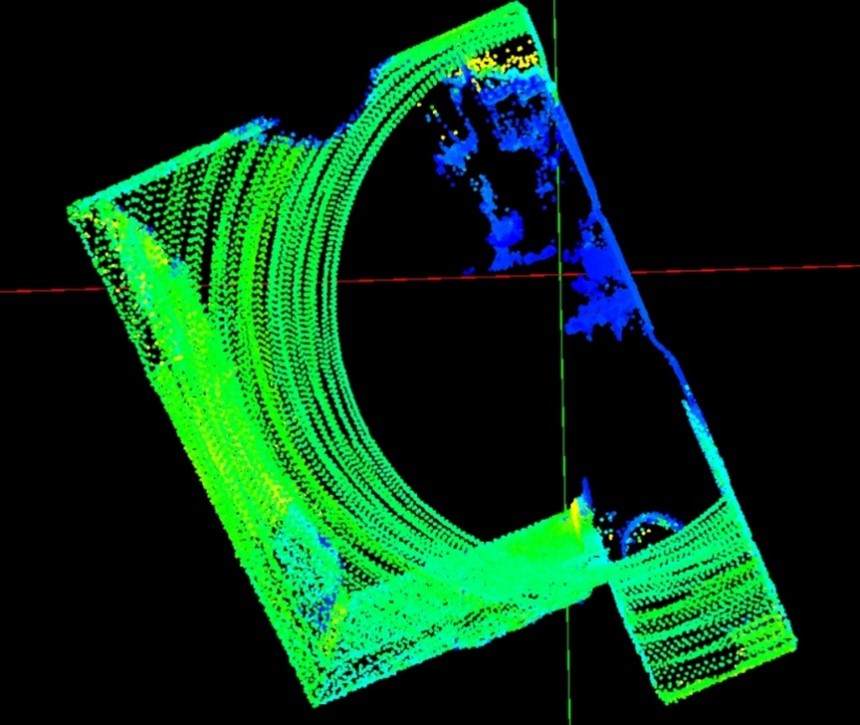
The Livox MID-360 is a 3D LiDAR featuring a wide 360° x 59° field of view and high-density point cloud output of up to 200,000 points per second. Despite its compact size, it is suitable for a wide range of applications, including indoor and outdoor autonomous mobile robots, AGVs/AMRs, and infrastructure inspections.
This column focuses on the operation of multiple MID-360 units and explains the network configuration and implementation points in ROS2.
Comparison of multiple unit control methods
When operating multiple 3D LiDARs, the network configuration has a significant impact on the stability and scalability of the system. When connecting multiple Livox MID-360 units, there are two main methods to consider:
| Comparison items | Method A: Same network (SWITCHES) | Method B: Direct connection to PC (multiple NICs) |
|---|---|---|
| Communication stability | △ (bandwidth sharing) | 〇(Physical separation) |
| Scalability | 〇 (easy to add more units) | △ (Requires additional NIC) |
| Initial costs | 〇 (low cost) | × (high cost) |
| Suitable for long-term and continuous operation | △ (short time, suitable for evaluation) | 〇 (suitable for long-term, stable operation) |
Comparison of control methods
Method A: Via SWITCHES (same network)
This method connects a PC and multiple LiDARs with a network SWITCHES, and exchanges data on the same IP segment. With a simple configuration and high scalability, it is often used in the development and evaluation stages. If you want to increase the number of LiDARs in the future, you can do so simply by connecting additional LiDARs to SWITCHES.
merit
- Simple configuration and easy management
- Easy expansion of number of units
- Low initial cost
Points to note
- Since the bandwidth is shared, the communication load increases as the number of devices increases.
- Care must be taken to ensure stability during long-term and high-load operation
Method B: Direct connection to PC (multiple NICs)
This method involves installing multiple NICs (Network Interface Cards) on a PC and directly connecting each LiDAR to a single card. Because the communication paths are physically separated, it is possible to minimize the effects of bandwidth interference and broadcasts, and it is used in situations where stability during long-term operation is required.
merit
- High communication stability
- Less susceptible to bandwidth interference and broadcasts
Points to note
- NIC expansion and configuration required
- The configuration is a little complicated
- Initial costs may be high
ROS2 Basics
ROS2 (Robot Operating System 2) is a distributed, real-time communication platform. By converting LiDAR to ROS2, you can build SLAM, autonomous driving, and 3D mapping through node collaboration.
The key to using Livox MID-360 with ROS2 is the official Livox ROS2 driver, libox_ros_driver2, which receives UDP data from the LiDAR and distributes it as a ROS2 topic.
It supports multiple unit configurations and distributes point clouds/IMUs via ROS2 topics.
When operating multiple Livox MID-360 units, there are several points to keep in mind when configuring and operating them in a ROS2 environment. Here, we will explain examples of configuration files (JSON), the multi_topic option, topic naming conventions, and examples of launch files for each typical network configuration.
Method A: Same network (via SWITCHES)
Network configuration example
In this configuration, the PC and two MID-360s are connected to the same network via SWITCHES, and a fixed IP address is assigned to each device.
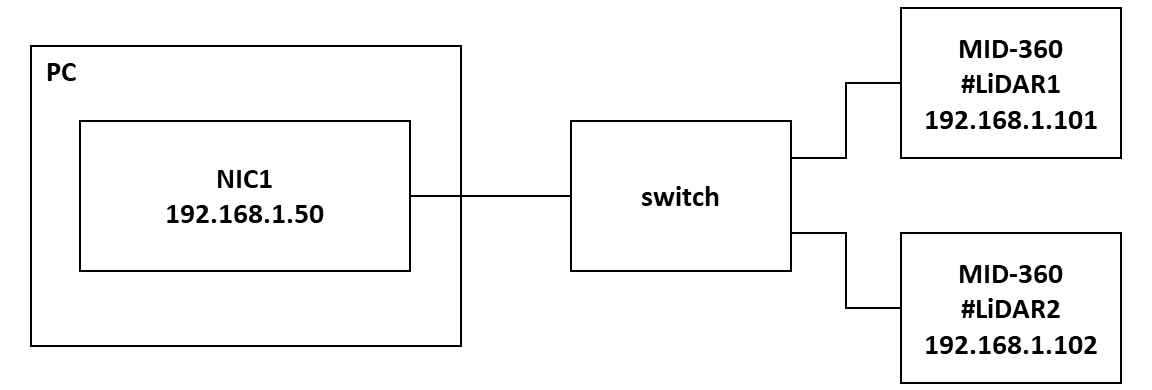
LiDAR connection example using SWITCHES
PC: 192.168.1.50
LiDAR1: 192.168.1.101
LiDAR2: 192.168.1.102
Subnet mask: 255.255.255.0
MID360_config.json setting example
In Method A, LiDAR information for multiple units can be written together in a single configuration file (config file).
{
  "lidar_summary_info": { "lidar_type": 8 },
  "MID360": {
    "lidar_net_info": {
      "cmd_data_port": 56100,
      "push_msg_port": 56200,
      "point_data_port": 56300,
      "imu_data_port": 56400,
      "log_data_port": 56500
    },
    "host_net_info": {
      "cmd_data_ip": "192.168.1.50",
      "cmd_data_port": 56101,
      "push_msg_ip": "192.168.1.50",
      "push_msg_port": 56201,
      "point_data_ip": "192.168.1.50",
      "point_data_port": 56301,
      "imu_data_ip": "192.168.1.50",
      "imu_data_port": 56401,
      "log_data_ip": "",
      "log_data_port": 56501
    }
  },
  "lidar_configs": [
    {
      "ip": "192.168.1.101",
      "pcl_data_type": 1,
      "pattern_mode": 0,
      "extrinsic_parameter": {
        "roll": 0.0,
        "pitch": 0.0,
        "yaw": 0.0,
        "x": 0,
        "y": 0,
        "z": 0
      }
    },
    {
      "ip": "192.168.1.102",
      "pcl_data_type": 1,
      "pattern_mode": 0,
      "extrinsic_parameter": {
        "roll": 0.0,
        "pitch": 0.0,
        "yaw": 0.0,
        "x": 0,
        "y": 0,
        "z": 0
      }
    }
  ]
}
Startup method and generated topic name
Specify this configuration file in user_config_path and start the program with the multi_topic=1 option.
ros2 launch livox_ros_driver2 rviz_MID360_launch.py \
  user_config_path:=/path/to/MID360_config.json \
  multi_topic:=1
Differences in topic generation depending on the value of multi_topic
multi_topic=1
A separate ROS2 topic is generated for each LiDAR, allowing for separate processing.
Example: /livox/lidar_192_168_1_101
/livox/lidar_192_168_1_102
multi_topic=0
This is useful when all LiDAR data is integrated and output to a single topic and you want to process it all at once.
Example: /livox/lidar
 | When multi_topic=1, the topic name rules are as follows. *Remap cannot be used. /livox/lidar_{LiDAR IP address} |
Method B: Direct connection to PC (2 NICs)
Network configuration example
In this configuration, the PC is equipped with two NICs (Network Interface Cards), each of which is directly connected to the LiDAR.
In addition to adding a NIC, it is also effective to prepare a PC that has two or more NICs (ports) installed from the start.
Each NIC and LiDAR must be configured in a different IP segment.
Also, method B has a different config structure (host_net_info is an array).
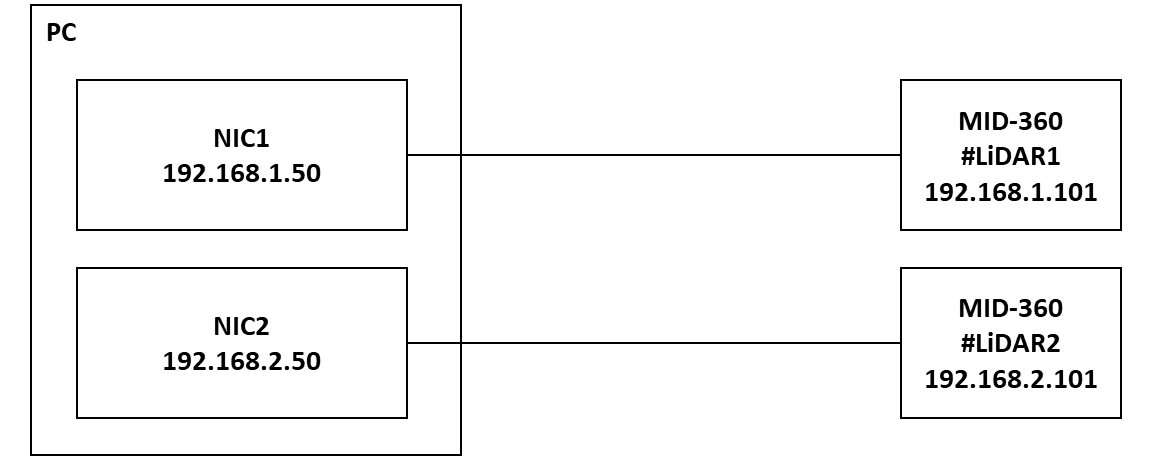
LiDAR connection configuration diagram using multiple NICs
PC/NIC1: 192.168.1.50
PC/NIC2: 192.168.2.50
LiDAR1: 192.168.1.101
LiDAR2: 192.168.2.101
Subnet mask: 255.255.255.0 (for both IP segments)
Configuration file example
MID360_config1.json (for LiDAR1)
{
  "lidar_summary_info": {
    "lidar_type": 8
  },
  "MID360": {
    "lidar_net_info": {
      "cmd_data_port": 56100,
      "push_msg_port": 56200,
      "point_data_port": 56300,
      "imu_data_port": 56400,
      "log_data_port": 56500
    },
    "host_net_info": [
      {
        "lidar_ip": [
          "192.168.1.101"
        ],
        "host_ip": "192.168.1.50",
        "cmd_data_port": 56101,
        "push_msg_port": 56201,
        "point_data_port": 56301,
        "imu_data_port": 56401,
        "log_data_port": 56501
      }
    ]
  },
  "lidar_configs": [
    {
      "ip": "192.168.1.101",
      "pcl_data_type": 1,
      "pattern_mode": 0,
      "extrinsic_parameter": {
        "roll": 0.0,
        "pitch": 0.0,
        "yaw": 0.0,
        "x": 0,
        "y": 0,
        "z": 0
      }
    }
  ]
}
MID360_config2.json (for LiDAR2)
{
  "lidar_summary_info": {
    "lidar_type": 8
  },
  "MID360": {
    "lidar_net_info": {
      "cmd_data_port": 56100,
      "push_msg_port": 56200,
      "point_data_port": 56300,
      "imu_data_port": 56400,
      "log_data_port": 56500
    },
    "host_net_info": [
      {
        "lidar_ip": [
          "192.168.2.101"
        ],
        "host_ip": "192.168.2.50",
        "cmd_data_port": 56101,
        "push_msg_port": 56201,
        "point_data_port": 56301,
        "imu_data_port": 56401,
        "log_data_port": 56501
      }
    ]
  },
  "lidar_configs": [
    {
      "ip": "192.168.2.101",
      "pcl_data_type": 1,
      "pattern_mode": 0,
      "extrinsic_parameter": {
        "roll": 0.0,
        "pitch": 0.0,
        "yaw": 0.0,
        "x": 0,
        "y": 0,
        "z": 0
      }
    }
  ]
}
Startup method and topic name
Launch the two launch files separately, specifying their respective configuration files.
ros2 launch livox_ros_driver2 rviz_MID360_launch.py \
  user_config_path:=/path/to/MID360_config1.json \
  multi_topic:=1
ros2 launch livox_ros_driver2 rviz_MID360_launch.py \
  user_config_path:=/path/to/MID360_config2.json \
  multi_topic:=1
multi_topic=1
A separate ROS2 topic will be generated for each LiDAR, which may not be of much benefit in Pattern B.
Example: /livox/lidar_192_168_1_101
/livox/lidar_192_168_2_101
multi_topic=0
Both LiDAR data are integrated into the same topic (/livox/lidar), but you can separate topic names on a per-node basis with remap.
For example, by specifying remap as shown below, you can operate with separate topic names for each node.
ros2 launch livox_ros_driver2 rviz_MID360_launch.py \
  user_config_path:=/path/to/MID360_config1.json \
  multi_topic:=0 \
  --remap /livox/lidar:=/lidar1
ros2 launch livox_ros_driver2 rviz_MID360_launch.py \
  user_config_path:=/path/to/MID360_config2.json \
  multi_topic:=0 \
  --remap /livox/lidar:=/lidar2
| In this way, in Method B, since the distribution nodes are different, it is possible to avoid duplication of topic names and operate them individually by setting a combination of multi_topic=0 and remap. |
Summary
In this column, we explained the network configuration when operating multiple Livox MID-360 units, as well as the key points for setting and operating them in a ROS2 environment.
Combining multiple 3D LiDARs can significantly improve the reliability and performance of the entire system, including complementing blind spots, improving detection continuity, and stabilizing self-position estimation.
Regarding network configuration, two methods were introduced: the "via SWITCHES (same network)" method, which allows for flexible operation during the development and evaluation stages, and the "direct PC connection (multiple NICs)" method, which prioritizes stability during long-term operation.
Each method has its own advantages and points to note, so it is important to select the optimal configuration depending on the application and operating environment.
In addition, when configuring in a ROS2 environment, you can build an efficient and stable system by focusing on points specific to multi-machine operation, such as the multi_topic option, topic naming conventions, and how to write configuration files.
The need for multiple 3D LiDAR systems is expected to continue expanding, particularly in the fields of robotics and autonomous driving. With its high cost performance and flexible network compatibility, the Livox MID-360 is expected to be used in a variety of locations.
Related Info
Disclaimer
This system has been confirmed for demonstration purposes only, and we cannot take any responsibility for any malfunctions or other issues.
This article is written based on ROS2 Humble (Ubuntu 22.04), the recommended environment for the official Livox driver, libox_ros_driver2. It may also work with ROS2 Foxy (Ubuntu 20.04), but testing was performed in the Humble environment.
![Making your own CABLES for the Livox MID-360 [Practical Guide]](/uploads/media_files/livox_10_thumbnail-3954867486.jpg)